dashboard
Dashboard guide
activeThis guide is for the people who run Retail Media day to day in the panel: campaigns, wallets and ad supply. It explains every page and walks through the everyday tasks step by step. It is written for dashboard version 1.7.2.
Finding your way around
The panel is at dash.binoban.io. Everything in this guide lives under Retail Media and
Supply / SSP in the left menu.
- Workspace: the top bar shows the workspace you are in.
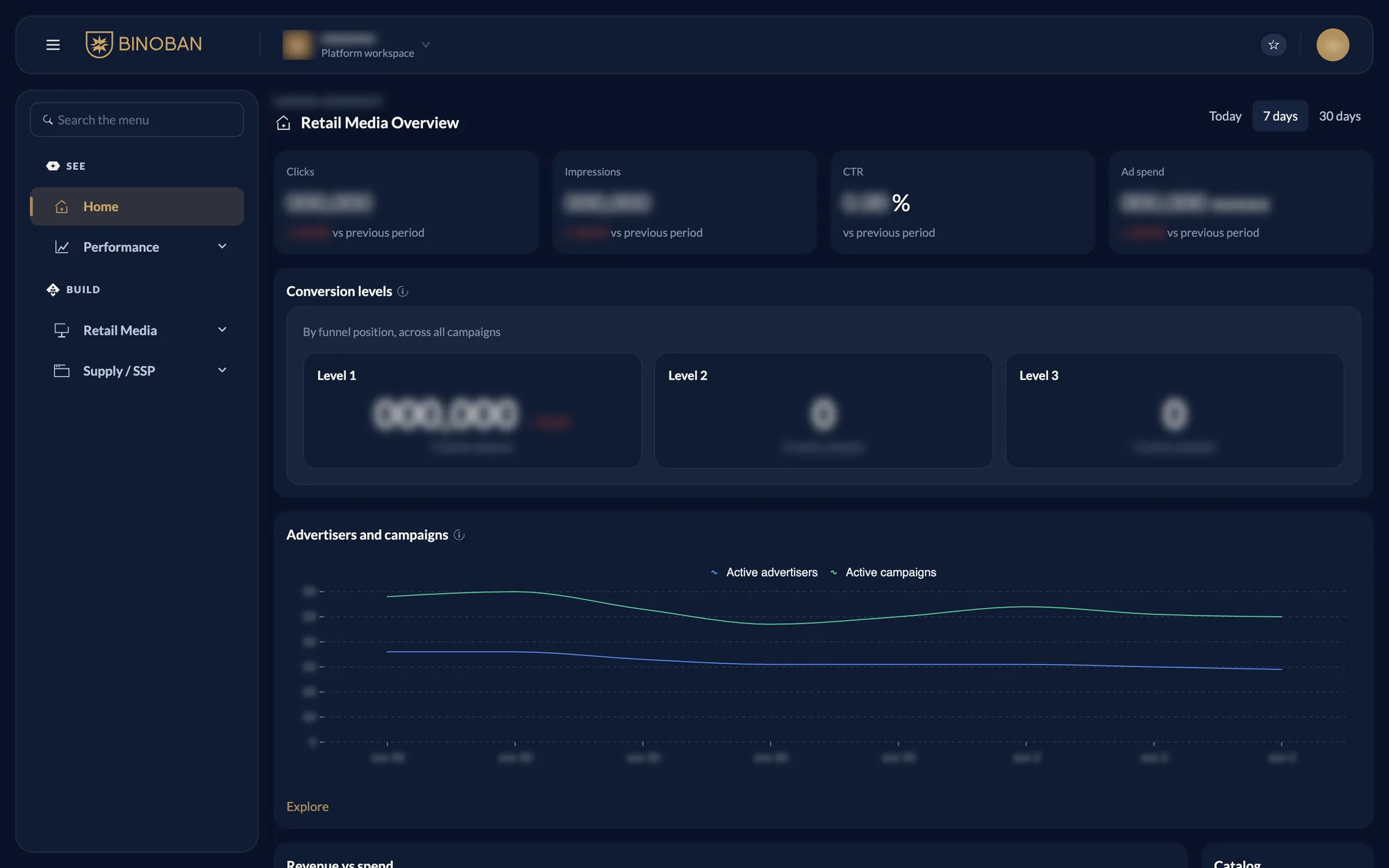
- Menu: Home and Performance sit under See. Retail Media and Supply / SSP sit under Build. Press a group to open it, or use Search the menu.
- Home: a quick read of Retail Media, with Today, 7 days and 30 days at the top right. It shows clicks, impressions, CTR, ad spend, conversion levels, top campaigns and campaigns needing attention.
- Money: all amounts are in Rials.
The pages
Retail Media is where you run sellers' ad campaigns and manage the money behind them.
| Page | What it is for |
|---|---|
| Overview | See how all campaigns, or one campaign, performed over a period |
| Advertisers | Find a seller or team member and open their page |
| Campaigns | Create, edit, pause, resume and stop campaigns |
| Wallets | See balances, and charge or discharge a wallet |
| Gifts | See and give gift credit |
| Transactions | Check every movement of money |
| Catalog | Browse the sellers, products and categories synced from your catalog |
| Display settings | Set bid and budget limits, approval and conversion rules |
Supply / SSP is where ads can show: your site, the slots on its pages, and the banner sizes and tags those slots use.
| Page | What it is for |
|---|---|
| Overview | See how many media, slots, banner sizes and tags you have |
| Media | Manage the sites that show ads |
| Slots | Manage the places on those sites where ads appear, and see how each performs |
| Banner Sizes | Manage the sizes a banner can have |
| Slot Tags | Manage the tags a banner slot can carry |
Everyday tasks
Retail Media
- Create a campaign
- Change a bid or budget
- Pause, resume or stop a campaign
- Charge or discharge a wallet
- Give gift credit
- Download reports
- Change the limits or approval
- See product delivery for one advertiser
Supply / SSP