dashboard
Add a slot
activeSteps
- Go to Supply / SSP → Slots and press the kind of slot you want.
- Press Add New Slot.
- Enter the name, then choose the media and the context type.
- Set the placement count, and add a description if it helps.
- Leave Enable ticked to turn it on, or untick it to keep it off.
- Press Submit.
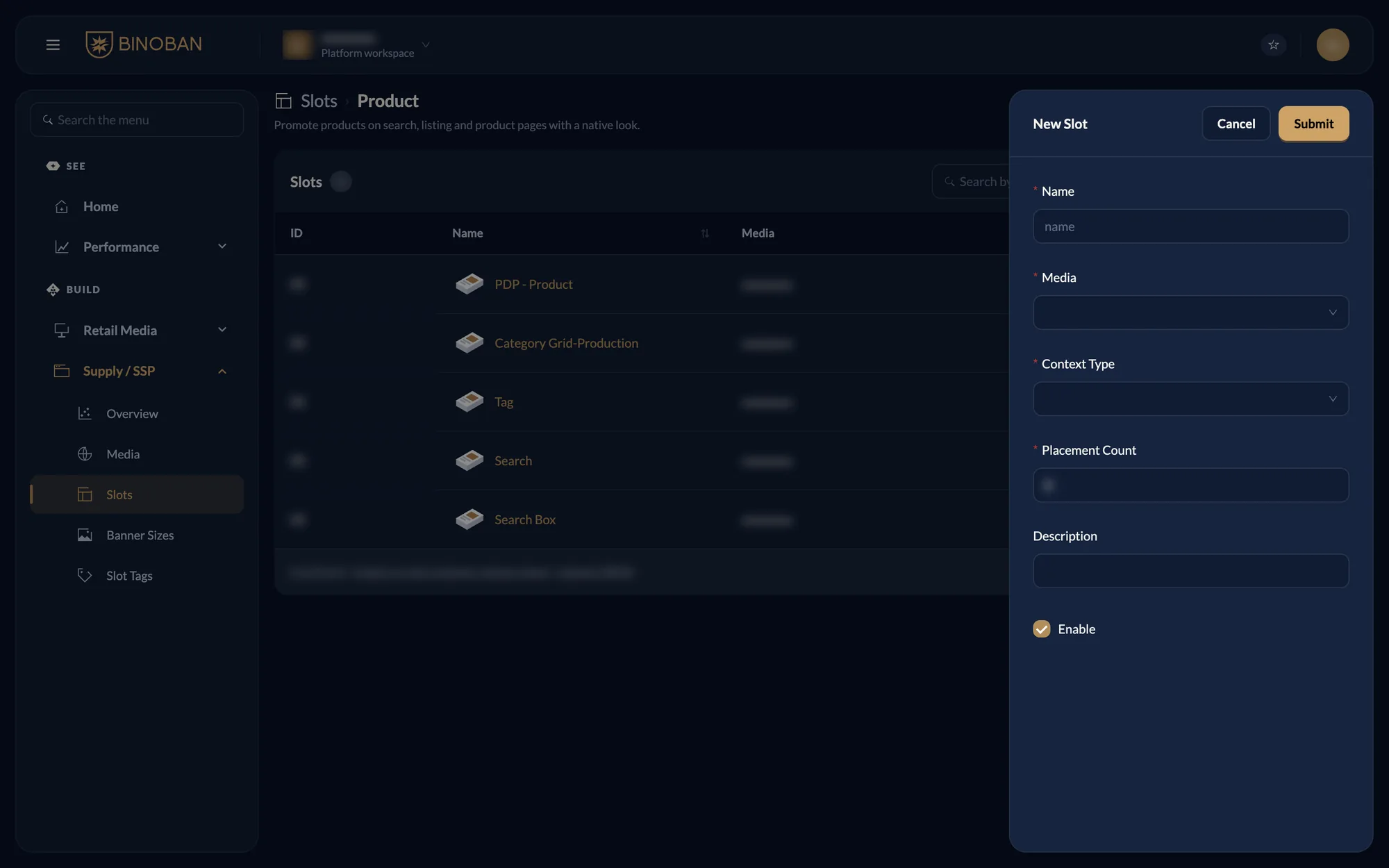
The context type says where the slot sits: Category Page, Product Page, Search or Product Listing Page. The form asks for more on some kinds, such as a size on a banner slot.